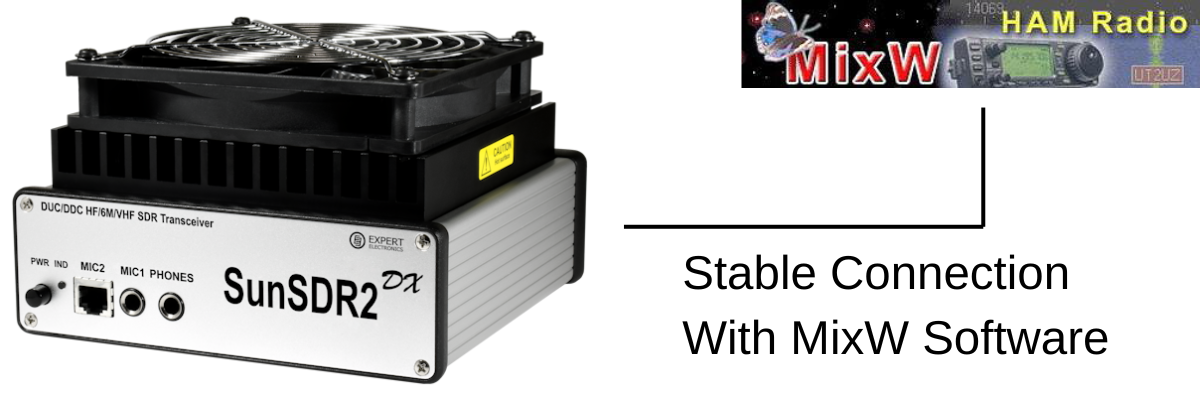
SunSDR DX — CAT Control with MixW2 & Omnirig • Setup & Troubleshooting Guide
ExpertSDR2 emulates a Kenwood TS-480 via ECATv1 over a virtual COM port pair. Omnirig connects to that port and acts as a CAT broker for MixW2. Audio routes via Virtual Audio Cable (VAC).
- com0com (free) — sourceforge.net/projects/com0com
- VSP Manager by K5FR (free) — k5fr.com
Create a pair using low numbers e.g. COM5 ↔ COM6. ExpertSDR2 uses one end; Omnirig the other.
Options > ECATv1 > tick Enable CAT:
| Setting | Value |
|---|---|
| Virtual COM port | COM5 (first end of pair) |
| Baud rate | 115200 |
| Data / Parity / Stop | 8 / None / 1 |
| Rig emulation | Kenwood TS-480 |
Settings > Rig 1:
| Setting | Value |
|---|---|
| Rig type | Kenwood TS-480 |
| Port | COM6 (second end of pair) |
| Baud rate | 115200 |
| Data / Parity / Stop | 8 / None / 1 |
| RTS / DTR | High / High |
| Poll interval | 100 ms (critical — keeps connection alive) |
| Timeout | 4000 ms |
Configure > TRX/CAT > select Omnirig / Rig 1. MixW2 talks to the radio through Omnirig — no direct COM port needed.
Install VAC from vac.muzychenko.net. Enable the VAC button in ExpertSDR2.
| Program | Input | Output |
|---|---|---|
| ExpertSDR2 | VAC Line 2 (TX from MixW2) | VAC Line 1 (RX to MixW2) |
| MixW2 | VAC Line 1 | VAC Line 2 |
Drops when you stop tuning or change focus? Idle timeout somewhere in the chain. Work through these:
| Fix | Action |
|---|---|
| 1 Omnirig poll 100 ms | Set poll interval to 100 ms. Keeps traffic flowing so port never goes idle. |
| 2 Windows USB power | Device Manager > Ports > right-click COM port > Power Management > uncheck allow sleep. Repeat for USB Root Hubs. Set Power Plan to High Performance. |
| 3 com0com baud rate | Tick Emulate baud rate on both ends of the virtual pair. |
| 4 Omnirig timeout | Set timeout to 4000 ms. |
| 5 Switch to TCI/SDC | Replace ECATv1 with TCI via SDC. Most stable fix — see section below. |
| 6 Update ExpertSDR2 | Older versions had CAT bugs. Get latest from expertelectronics.ru. |
| 7 Low COM numbers | Keep ports below COM10 — high numbers cause issues in some software. |
SDC bridges TCI to a virtual COM port so Omnirig connects normally. ECATv1 is removed from the chain.
Options > TCI > tick enable:
| Setting | Value |
|---|---|
| Enable TCI | Tick |
| Port | 50001 (default) |
| Address | localhost / 127.0.0.1 |
Download from UT4LW website. If RIG Emulator is missing, the version is too old.
- Add TCI Client → address: localhost, port: 50001
- Add RIG Emulator output → assign to COM7
Change Omnirig port from COM6 to COM7 (the SDC RIG Emulator). All other settings stay the same.
Standard (ECATv1):
| Software | Port | Role |
|---|---|---|
| ExpertSDR2 ECATv1 | COM5 | CAT out (TS-480 emulation) |
| Omnirig Rig 1 | COM6 | CAT in (100 ms poll) |
| MixW2 | Omnirig | Via Omnirig Rig 1 |
| ExpertSDR2 VAC | VAC Line 1 | RX audio to MixW2 |
| MixW2 audio out | VAC Line 2 | TX audio to ExpertSDR2 |
Stable (TCI + SDC v19.06 x64):
| Software | Port / Address | Role |
|---|---|---|
| ExpertSDR2 TCI | localhost:50001 | TCI WebSocket server |
| SDC TCI Client | localhost:50001 | Connects to ExpertSDR2 |
| SDC RIG Emulator | COM7 | Virtual CAT port for Omnirig |
| Omnirig Rig 1 | COM7 | CAT in (100 ms poll) |
| MixW2 | Omnirig | Via Omnirig Rig 1 |
| ExpertSDR2 VAC | VAC Line 1 | RX audio to MixW2 |
| MixW2 audio out | VAC Line 2 | TX audio to ExpertSDR2 |